
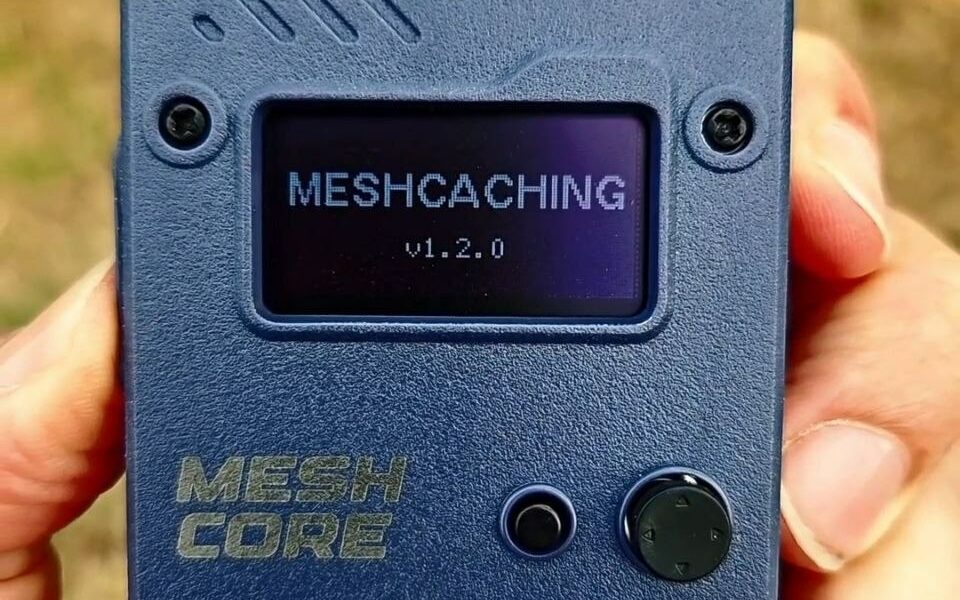
In this tutorial, I present a technique for geolocating a MeshCore repeater as part of a MeshCaching activity.
The principle relies on measuring RSSI (Received Signal Strength Indicator). Our module analyzes the strength of the radio signal emitted by the repeater each time a packet is received.
The higher the RSSI, the closer the module is to the repeater. By taking multiple measurements while moving around, it is possible to estimate the physical location using a directional search method by following the strongest signal.
As a reminder, RSSI is expressed in dBm (decibel-milliwatts). For an introduction to this concept, please refer to this article.
Identification of the repeater to be geolocated
Identifying the repeater to be geolocated relies on its public key (its ID). You can retrieve this key using tools such as MeshCore Analyser, which maps the network’s repeaters.
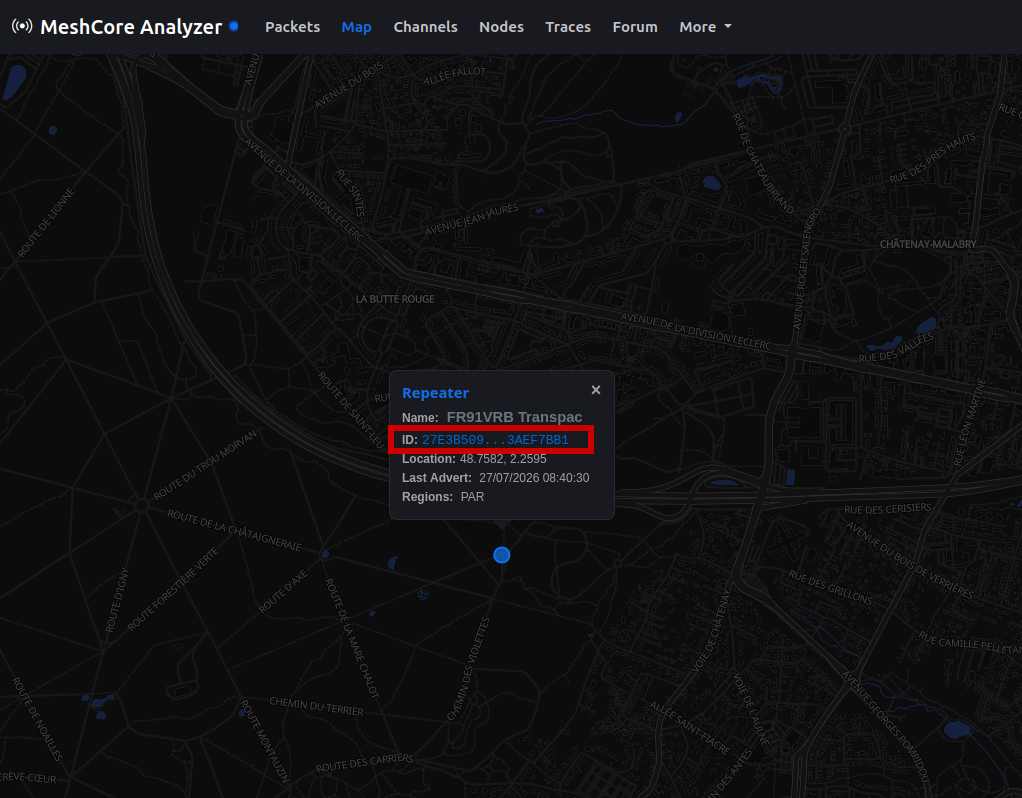
In the Paris region, where the number of repeaters is currently limited, the first two bytes of the public key are generally sufficient to identify a repeater.
MeshCaching firmware
Firmware specifically designed for MeshCaching is available on my GitHub: https://github.com/tutoduino/meshcaching.
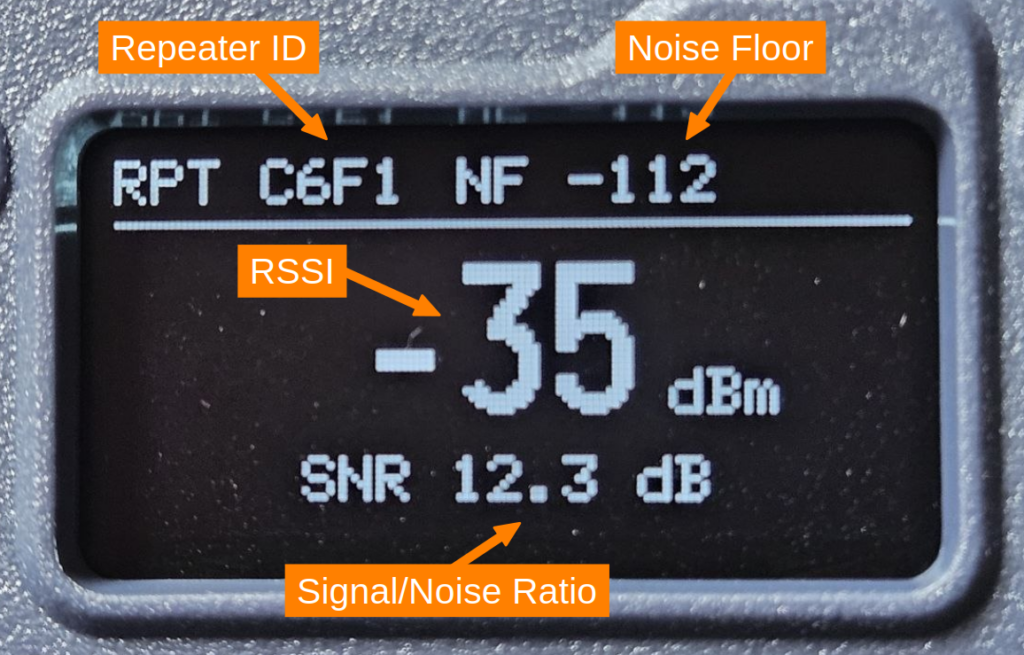
It allows for the easy geolocation of a MeshCore repeater. After configuring the ID of the repeater to be located, you can send it a “ping” using a TRACE packet (the native MeshCore ping) by pressing the device’s button. The RSSI of the return packet from this ping is then displayed on the device’s screen, along with the channel’s background noise level.
This firmware is available for the following devices:
- Seeed Wio Tracker L1 Pro
- Heltec WiFi LoRa 32 V3
- Heltec WiFi LoRa 32 V4.3
- Heltec WiFi LoRa 32 V4 “R8”
- Heltec T096
Firmware Configuration
It is essential to configure the identifier of the repeater to be located. The other parameters can be left at their default values.
Here is the meaning of the various parameters:
- Repeater: Hexadecimal prefix (first 4 digits) of the public key of the repeater to be geolocated
- TX Power: Maximum transmission power of the device
- RX Gain: Enables additional receiver gain to improve sensitivity
- Display: Displays signal strength either before demodulation (RSSI) or after correlation (useful for weak signals)
Hardware
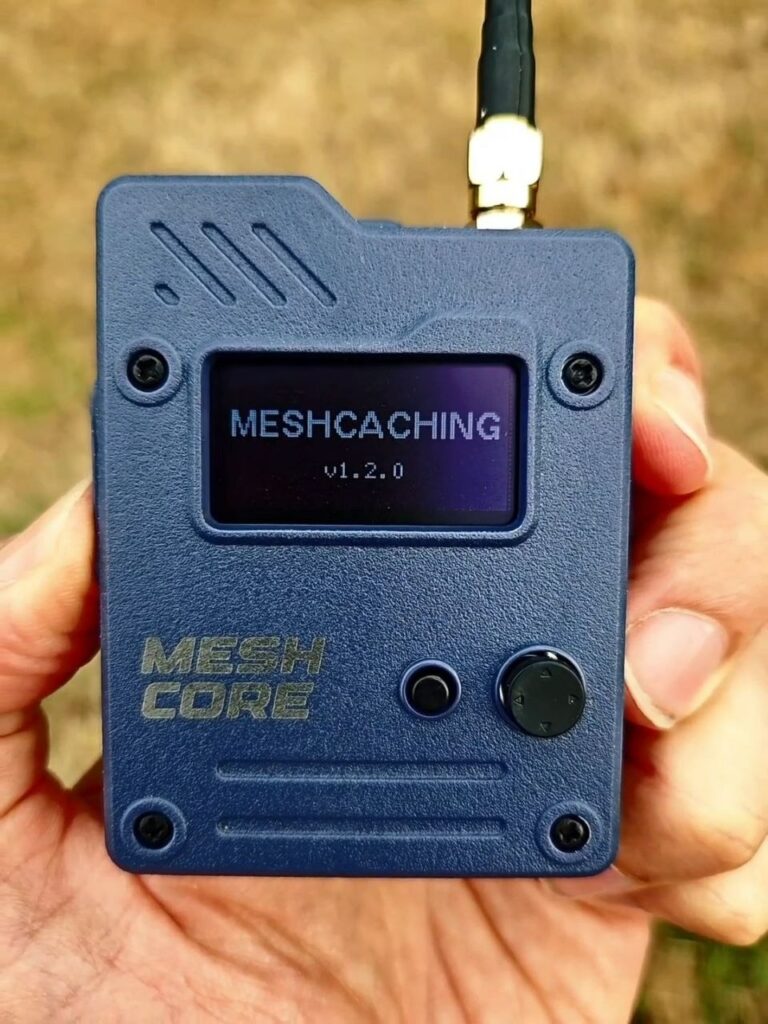
For this tutorial, I used a Wio Tracker L1 Pro module. This module is compact and highly user-friendly, and the inclusion of a small joystick makes it easy to configure the ID of the repeater to be located.
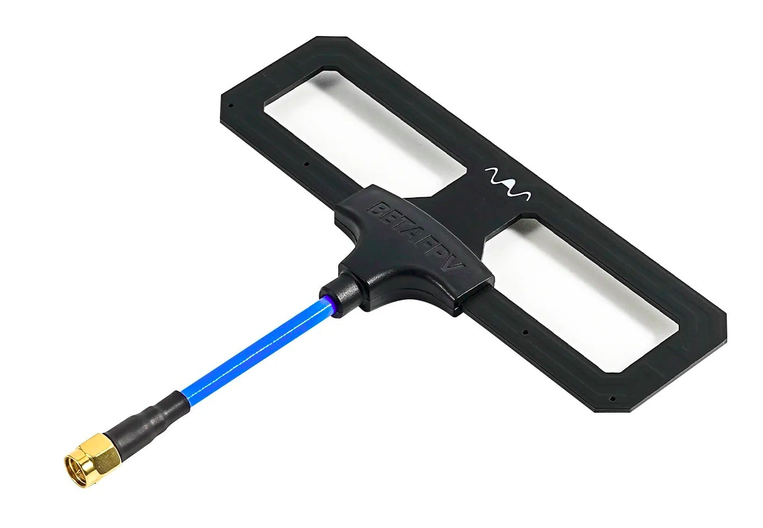
The use of a Moxon-type directional antenna is particularly well-suited to the gradient-based directional search technique described below.
Force the repeater to transmit a message.
TThe RSSI of the last packet received from the repeater is displayed directly on the device’s screen. However, passively waiting for a repeater to spontaneously transmit a packet can take a long time—especially when multiple measurements are needed to locate it—potentially making the geolocation process too slow.
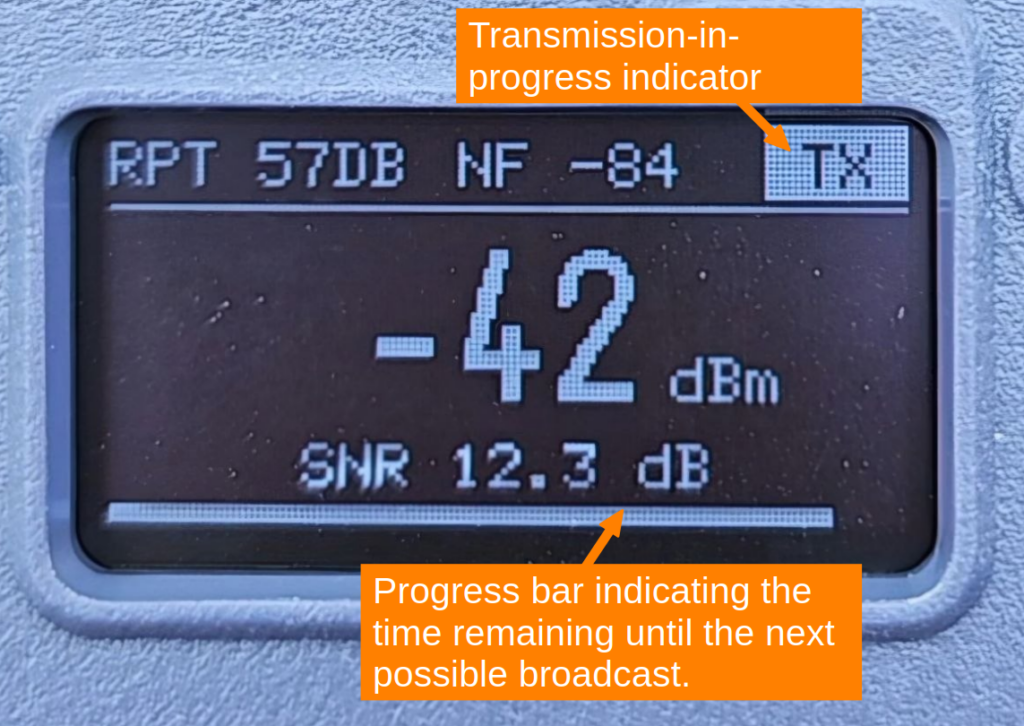
To speed up this process, pressing the device’s button triggers the transmission of a TRACE packet directly to the repeater (the MeshCore equivalent of a ping). The repeater responds immediately, and the device—which is constantly listening—picks up this response; it is at this point that its radio receiver measures the RSSI of the received signal and displays it on the screen.
To comply with the duty cycle, a time delay is applied after the transmission of each message (TRACE packet). During this interval, the transmitter cannot send another message, thereby ensuring compliance with regulatory constraints.
Localization procedure
Here is the method I propose for locating a repeater; it is a directional gradient-based search technique (similar to “fox hunting” in amateur radio):
- Initial positioning
- Position yourself near the repeater (at the approximate location generally configured for the repeater and shown on a MeshCore network map).
- Measuring RSSI in the four cardinal directions
- Using a directional antenna, measure the RSSI (in dBm) in the North, South, East, and West directions.
- Moving in the optimal direction
- Move forward some meters in the direction with the highest RSSI (i.e., the least negative value).
- Recording data
- Note the following on a map:
- Your current position.
- The measured RSSI value.
- Note the following on a map:
- Iteration
- Repeat steps 2 through 4 (measuring in the four directions and recording data) until you converge on the repeater’s location.
Here is a video example of searching for a MeshCore repeater:
This picture shows an example of the geolocation of a MehCore repeater in an urban environment using this method. My initial position was 200 m from the repeater.
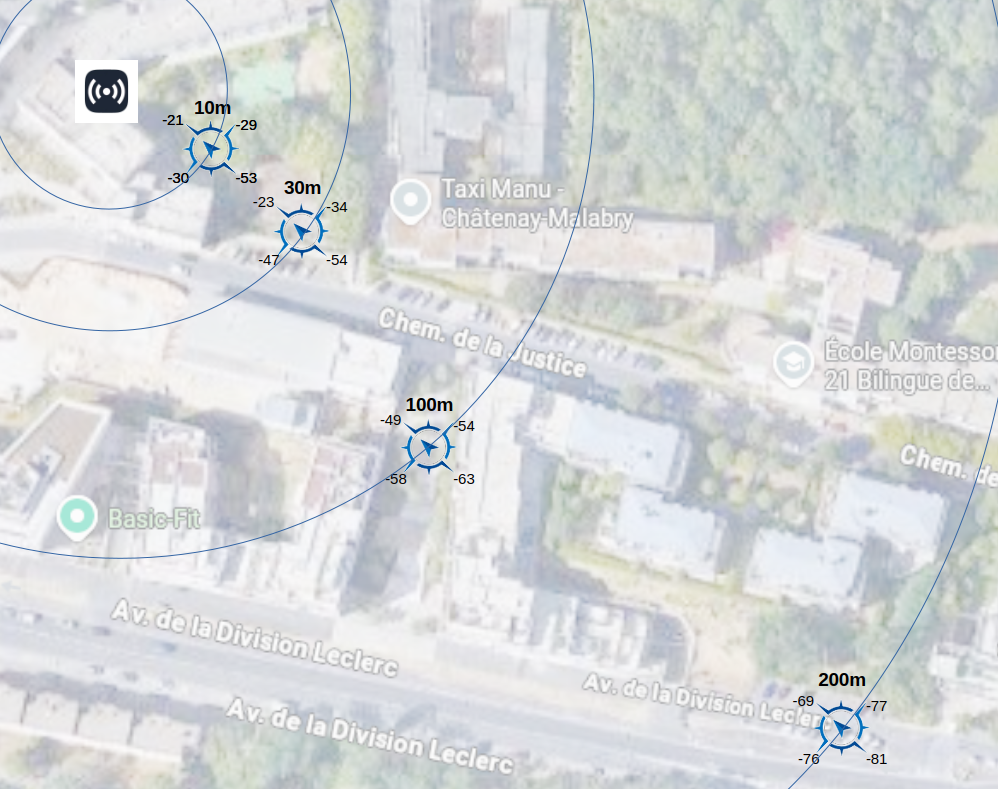
Here is a very rough estimate of the RSSI based on distance for a MeshCore repeater operating at 869 MHz with a transmit power of 22 dBm:
| RSSI | Approximate distance |
|---|---|
| -100 dBm | 1000 m |
| -88 dBm | 500 m |
| -50 dBm | 50 m |
| -30 dBm | 20 m |
| -20 dBm | 10 m |
Note that this table provides a very rough estimate. Indeed, the RSSI depends on numerous variable factors, such as:
- the repeater’s transmission power,
- frequency,
- weather conditions,
- geographical characteristics (terrain, obstacles, etc.).
Here is an example of measurements taken for a repeater positioned in a Parc using an omnidirectional antenna.
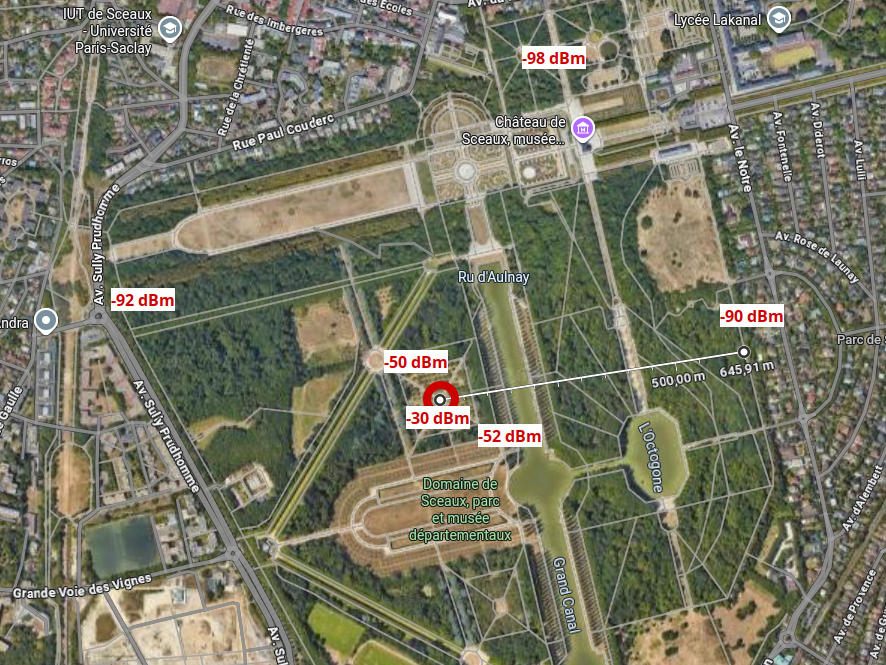
Note that the type of antenna used by the repeater significantly affects the procedure. Indeed, if the repeater’s antenna is directional (for example, a Moxon or Yagi antenna), localization becomes more complex because the antenna’s gain is concentrated in a specific direction.
The display also shows the SNR (Signal-to-Noise Ratio), which complements the RSSI by measuring signal quality relative to background noise, expressed in dB. A high SNR (> 10 dB) indicates clean, reliable reception, whereas a low or negative SNR (< -10 dB) signals a signal close to the noise floor that is more prone to errors—although LoRa remains capable of decoding packets even in such cases, thanks to its processing gain.
This tutorial could come in handy during a Meshcaching event organized by your local MeshCore community 😉